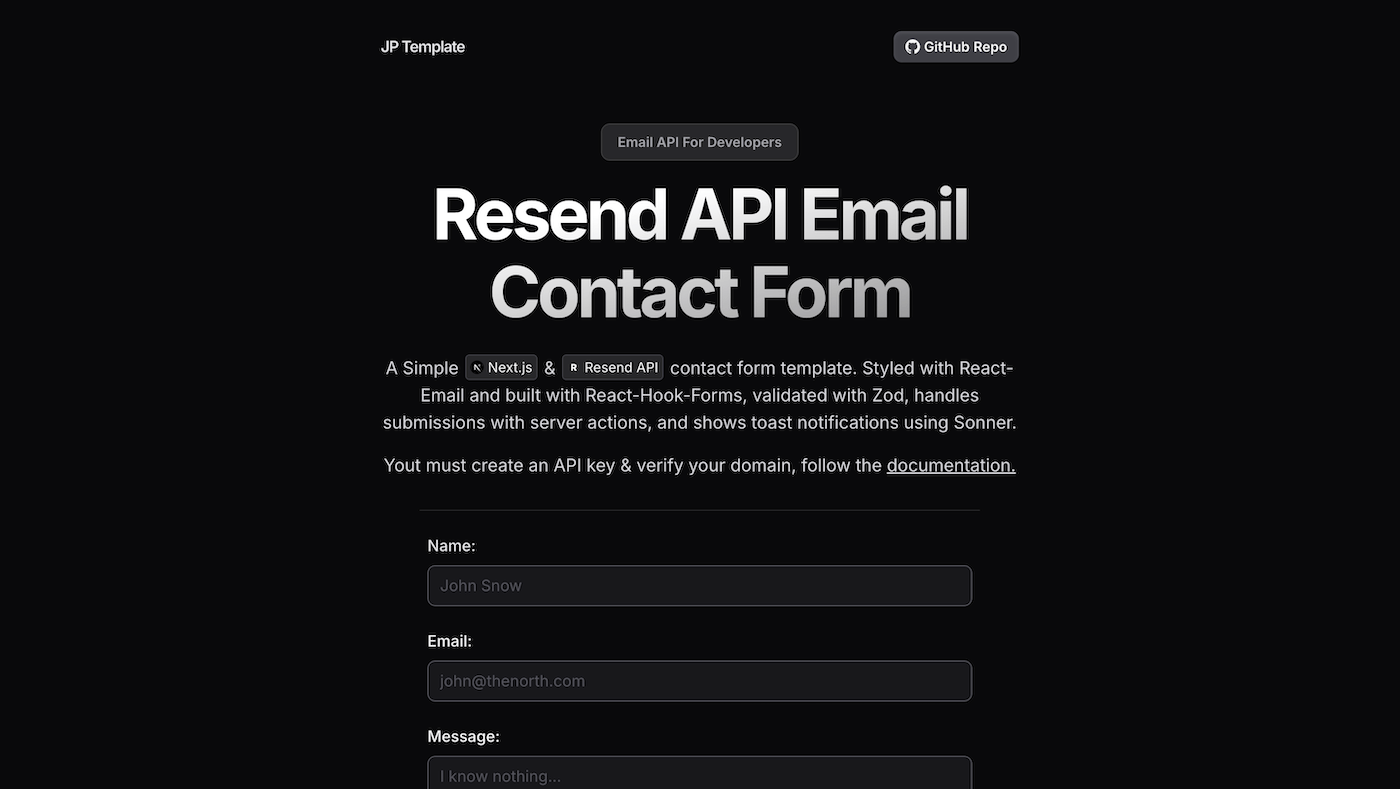

Resend Contact Form Template (Update)
This is the follow-up to my original Resend contact form template post.
The goal of this update was simple: keep the template minimal, but bring it up to modern Next.js standards.
That meant upgrading to Next.js 16 + React 19, removing unnecessary client-side form plumbing, and tightening up server-side correctness.
Live Demo
https://resend-email-template.vercel.app/
Why I Updated It
The first version worked, but it was doing more work than it needed to for a portfolio contact form.
Next.js and React have made forms significantly cleaner with Server Actions and React’s built-in form state hooks, so I migrated the template to match the recommended direction.
The result is less client code, fewer dependencies, and a more “correct by default” setup for a public GitHub template.
What Changed
1) Next.js 16 + React 19 upgrade
Upgraded the project to Next.js 16 and React 19.
This matters because:
- the App Router is the default path forward
- Server Actions are now a normal part of form handling
- modern metadata handling expects
metadataBasefor correct OG/Twitter URLs
2) Switched to the modern form submission model
The biggest improvement was migrating the form to:
<form action={...}>useActionStatefor server action stateuseFormStatusfor pending states
That removes the need for React Hook Form for this use case.
3) Cleaned up server-only concerns
A few fixes that make the repo more robust for others:
- Server-only env validation (fail early if env vars are missing)
- Email template types moved out of client code (no importing types from a Client Component)
- Reply-To support so replies go directly to the user who submitted the form
- Honeypot field as lightweight spam protection
4) Metadata warning fix
Next.js warns if metadataBase is missing because it cannot resolve social images properly.
I added a metadataBase that works in both local dev and Vercel deployments.
Main Features
- Next.js 16 (App Router)
- React 19
- Resend API email delivery
- Zod validation (server-side)
- Next.js Server Actions form submission
- Pending UI state with
useFormStatus - Toast notifications using Sonner
replyToset to sender’s email- Simple honeypot spam trap
- Correct metadataBase for OG/Twitter images
Prerequisites
You’ll need:
- A Resend account
- A Resend API key
- A verified domain or sender in Resend
Clone & Run Locally
git clone https://github.com/JPerez00/resend-email-template
cd resend-email-template
npm install
Create a .env.local file:
RESEND_API_KEY=your_key_here
EMAIL_FROM="Your Website Name <noreply@your-domain.com>"
EMAIL_TO=your_destination_email@example.com
Run the dev server:
npm run devClone & Deploy
If you deploy to Vercel, add the same environment variables in your Vercel project settings.
Optional but recommended:
set NEXT_PUBLIC_SITE_URL to your production domain for clean metadata resolution
NEXT_PUBLIC_SITE_URL=https://your-domain.com
Start Editing
The main files you’ll care about:
app/components/ContactForm.tsx(form UI + action wiring)app/actions.ts(Server Action that validates and sends)app/emails/ContactFormEmail.tsx(email template)lib/schema.ts(Zod schema)lib/env.server.ts(server-only env validation)app/layout.tsx(metadataBase + global layout)
Conclusion
This update keeps the template simple, but makes it much more aligned with how modern Next.js apps are built.
The biggest win is the shift to <form action> with Server Actions and React 19 form hooks. Less code, fewer dependencies, and a cleaner mental model.
If you want to build a portfolio contact form that feels current, this is the direction I’d recommend.
You Might Also Like...
- NeatDev: The Portfolio I Wish Existed (So I Built It For Free)
- LaunchKit Template: Build Your SaaS, Not Your Landing Page
- Snippify This! - A Tailwind CSS UI Snippets Collection
- Astro + Tailwind + React: A Simple Link-in-Bio Project
- TypeSavior - Your AI JavaScript to TypeScript Converter
- Building ImgxLab: An Open-Source Lab for Photographers
- 4 Custom Link-In-Bio HTML Templates