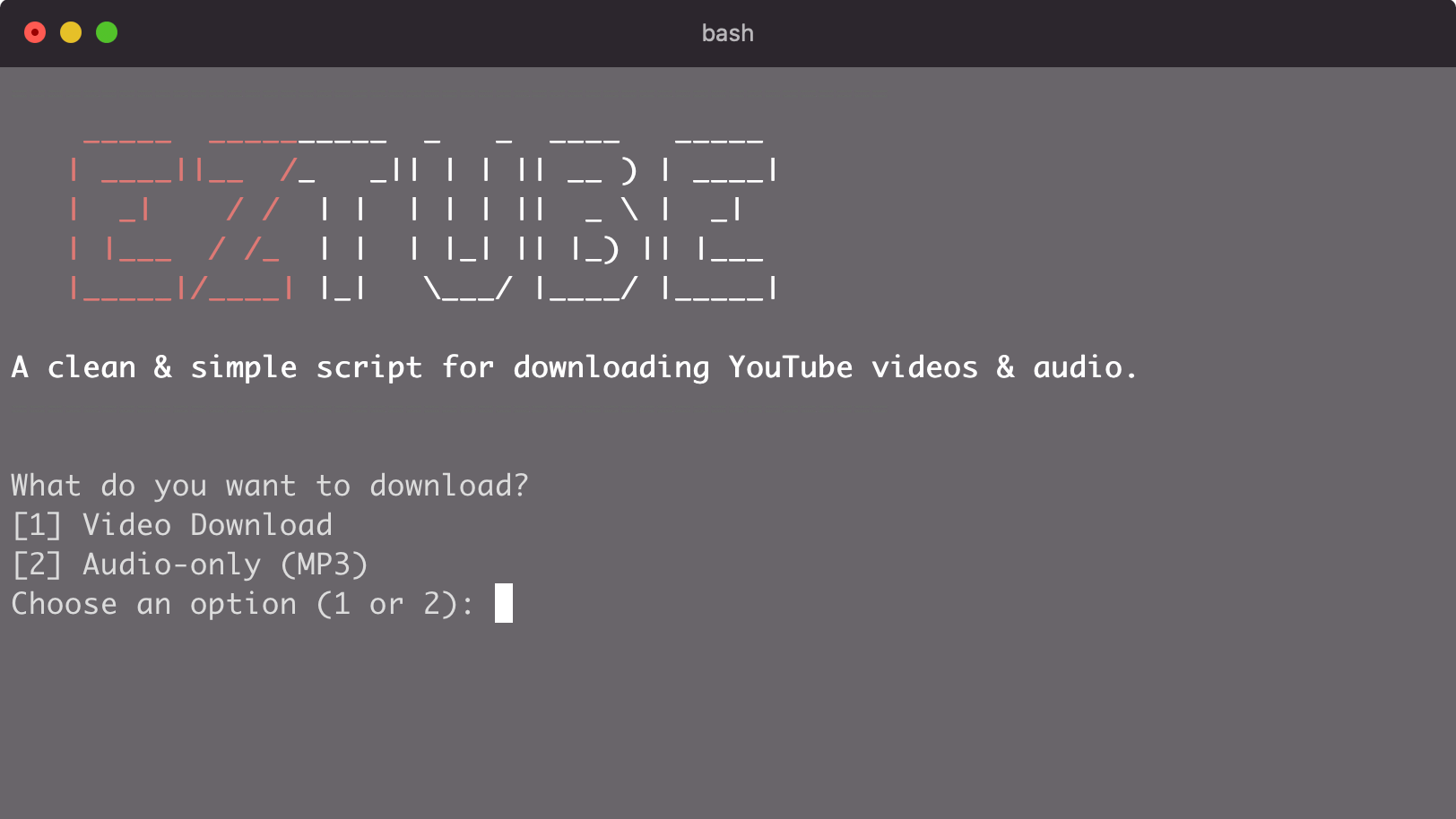

EzTube Downloader (yt-dlp Wrapper)
If you download YouTube videos often, you already know the pain:
- random
webmfiles everywhere - naming / output paths all over the place
- forgetting the exact
yt-dlpflags you used last time - and having to Google the same commands again and again
EzTube Downloader fixes that by wrapping yt-dlp inside a clean, interactive Bash script for macOS.
It’s intentionally simple: pick Video or MP3, choose a quality preset, pick a destination folder, paste a URL, done.
Repository:
https://github.com/JPerez00/eztube-downloader
Why I Built It
I wanted a downloader that felt like a small tool, not a project.
Something I could run anytime from the terminal without thinking:
- no complicated config files
- no “read the docs” moment
- no remembering format strings
- no messy output formats
Just one script, a few prompts, and consistent results.
What It Does
EzTube Downloader supports: filecite/turn0file0
- Video downloads with quality presets (Best, 1080p, 720p)
- Audio-only MP3 extraction
- Clean output folders:
~/Downloads/YouTube~/Downloads/Other Videos
- Automatic MKV merging to avoid
webmclutter - Age-restricted support via browser cookies (Chrome by default)
The UX: One Flow, No Overthinking
The whole script is structured around one loop:
- Choose download type
- (If video) choose quality
- Choose save destination
- Paste URL
- Download
- Ask if you want another
That “repeat download” loop matters more than it sounds. It turns the script into a tiny workflow tool instead of a one-off command.
The Core of the Script
1) Quality presets that are actually useful
Instead of making you manually craft yt-dlp -f strings every time, the script offers three options and maps them to the right selectors:
case $video_choice in
  1) video_quality="bestvideo+bestaudio/best" ;;
  2) video_quality="bestvideo[height<=1080][fps<=60]+bestaudio/best[height<=1080][fps<=60]" ;;
  3) video_quality="bestvideo[height<=720][fps<=60]+bestaudio/best[height<=720][fps<=60]" ;;
  *) video_quality="bestvideo+bestaudio/best" ;;
esac
This gives you predictable results, without losing the flexibility that makes yt-dlp so good.
2) MKV output by default (no WebM clutter)
YouTube commonly serves webm video formats, especially at higher qualities.
That’s fine, but most people want one clean file at the end.
EzTube forces a merged output container:
yt-dlp -f "$video_quality" --merge-output-format mkv -o "$save_path/%(title)s.%(ext)s" "$url"So you end up with a clean .mkv in the folder you chose.
3) MP3 mode is one command
For audio, it uses yt-dlp’s built-in extraction flow:
yt-dlp -x --audio-format mp3 -o "$save_path/%(title)s.%(ext)s" "$url"No extra steps. Just paste the URL and you get the MP3.
4) Age-restricted support with browser cookies
Some videos require sign-in. The script includes:
--cookies-from-browser chromeIf you use Firefox or Edge, you can switch it to:
firefoxedge
This keeps the script beginner-friendly while still handling real-world videos.
Requirements
You’ll need:
- Python 3.10+
- yt-dlp
- FFmpeg (for merging/extraction)
Install
Clone the repo:
git clone https://github.com/JPerez00/eztube-downloader.git
cd eztube-downloader
Make it executable:
chmod +x eztube-downloader.shInstall dependencies:
brew install yt-dlp ffmpegRun It
./eztube-downloader.shThen follow the prompts.
Where This Can Go Next
This project is intentionally minimal, but it’s easy to expand:
- add a playlist mode
- support more save locations
- include a default quality setting
- auto-detect browser (
chromevsfirefox) - add a “safe filename” option for cleaner output titles
Conclusion
EzTube Downloader is the kind of tool I like building and using:
- small
- focused
- fast
- and built around real usage, not theory
If you already like yt-dlp but want something that feels more like a simple utility, this is the point.
You Might Also Like...
- NeatDev: The Portfolio I Wish Existed (So I Built It For Free)
- LaunchKit Template: Build Your SaaS, Not Your Landing Page
- Snippify This! - A Tailwind CSS UI Snippets Collection
- Astro + Tailwind + React: A Simple Link-in-Bio Project
- TypeSavior - Your AI JavaScript to TypeScript Converter
- Building ImgxLab: An Open-Source Lab for Photographers
- 4 Custom Link-In-Bio HTML Templates